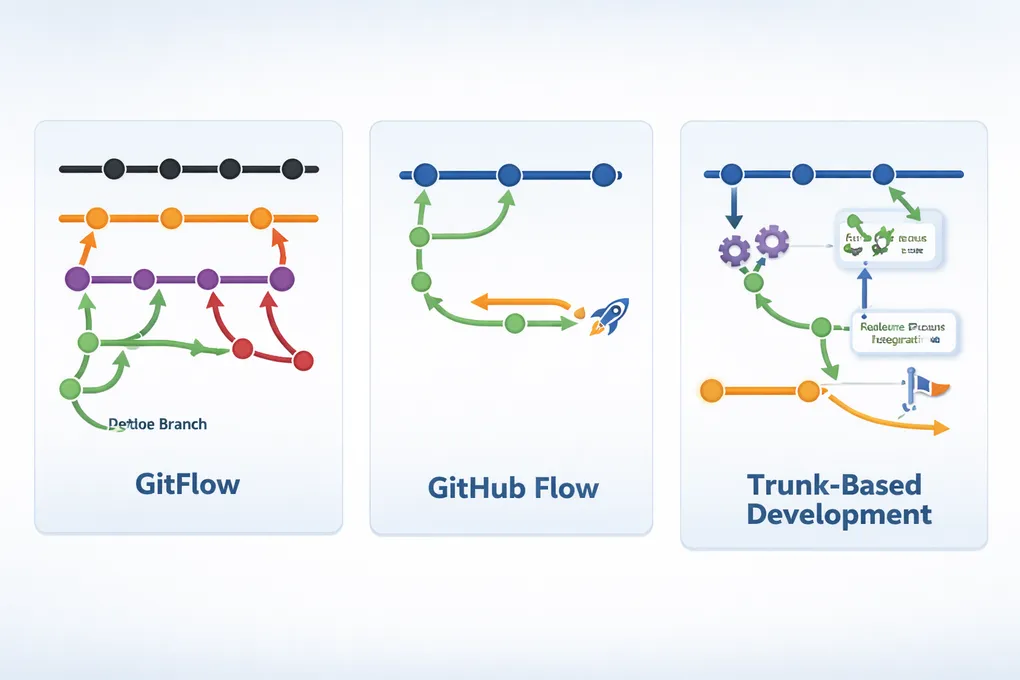
3 Git Workflows
TL;DR
- If you need strict release control and versioning, choose GitFlow.
- If you want simplicity and continuous deployment, choose GitHub Flow.
- If you want maximum throughput and fast feedback, choose Trunk-Based Development — but only if you have strong CI, testing, and discipline.
Most teams evolve over time:
GitFlow → GitHub Flow → Trunk-Based Development
The “best” workflow is not universal — it’s the one that matches your team maturity, automation level, and release strategy.
What is a Git workflow?
A Git workflow is a set of conventions that defines how developers use branches, commits, and merges to collaborate on a codebase.
Choosing the right Git workflow is crucial for effective collaboration and code management in software development. Here, we explore three popular Git workflows: Feature Branching, Gitflow, and Forking Workflow. Each has its own advantages and disadvantages, making them suitable for different team sizes and project requirements.
1. Feature Branching
Overview
Feature Branching is the most common and flexible Git workflow.
Each new feature, bugfix, or experiment is developed in its own branch, typically created from a main integration branch (often main or develop). Once the work is complete, the branch is merged back via a pull request.
This pattern is the foundation for both GitFlow and GitHub Flow.
Ideal for
- Teams new to Git workflows
- Codebases where isolation of work is important
- Teams using pull requests and code reviews
Not Ideal for
- Very fast-moving teams without strong CI
- Teams that let feature branches live too long (merge hell)
2. GitFlow
Overview
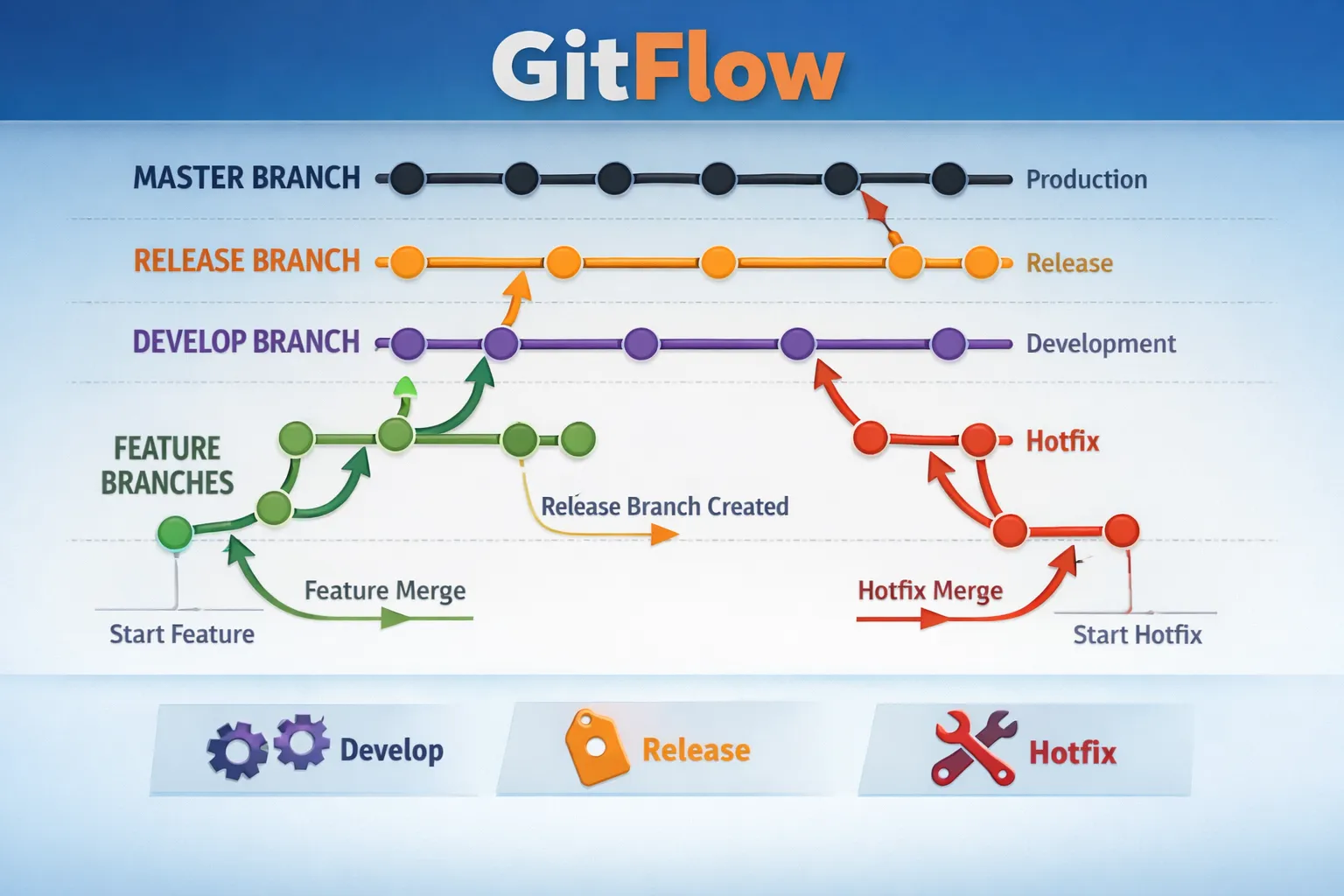
GitFlow is a structured workflow built on top of feature branching. It introduces multiple long-lived branches, each with a clear purpose:
- main – production-ready code
- develop – integration branch for upcoming releases
- feature/* – new features
- release/* – release preparation
- hotfix/* – emergency production fixes
This structure makes release management explicit and predictable.
Ideal for
- Well-defined Release Cycles: Suitable for projects with scheduled releases and versioning.
- Larger Teams: Works well for teams with multiple developers working on different features simultaneously.
- Complex Projects: Beneficial for projects that require multiple environments (development, staging, production).
Not Ideal for
- Continuous deployment Teams: Less suited for teams practicing continuous deployment due to its structured nature.
- High-frequency releases: Can be cumbersome for projects that require rapid, frequent releases.
- Teams that want minimal process overhead.
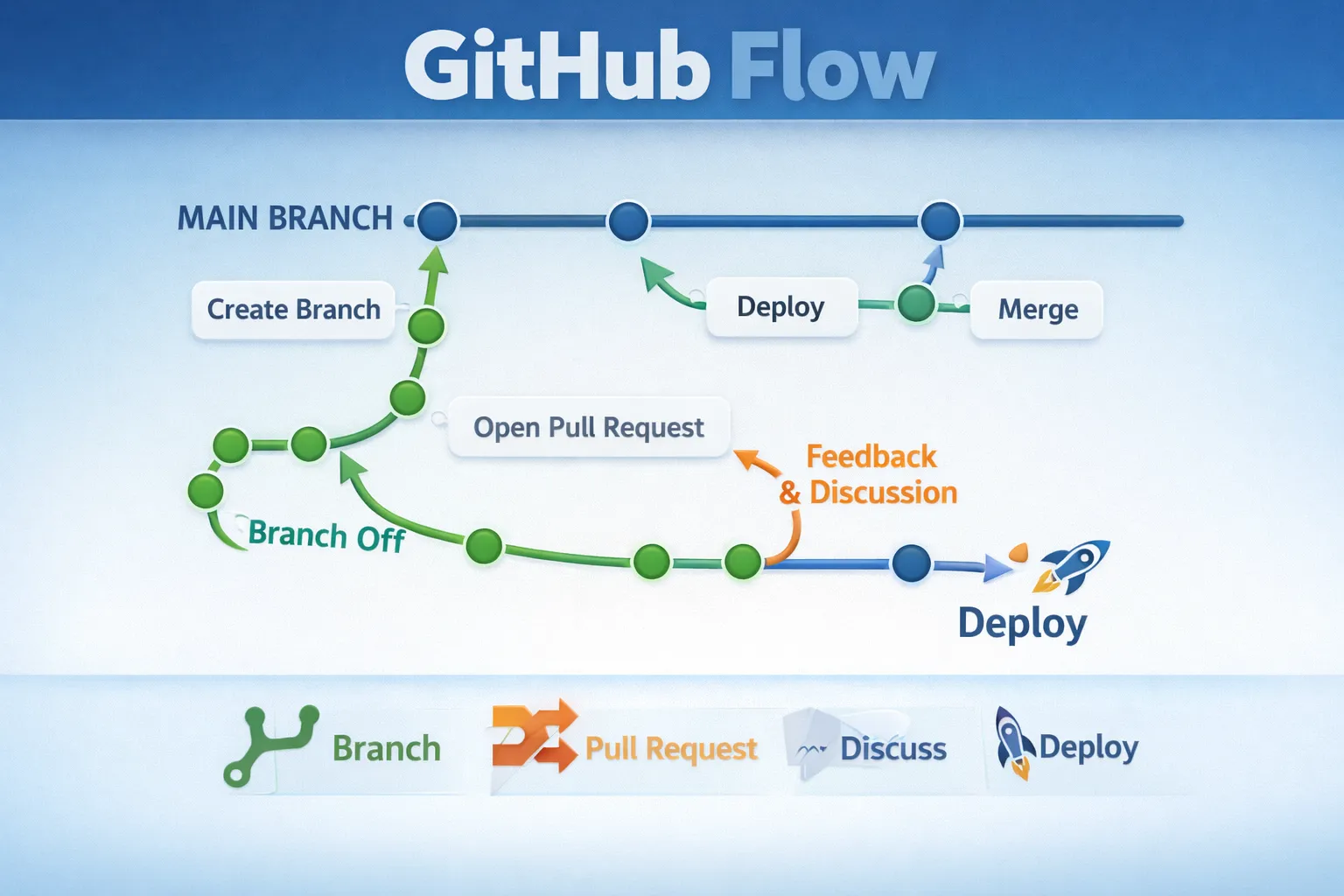
3. GitHub Flow
Overview
Ideal for
- Continuous Deployment: Ideal for teams practicing continuous integration and deployment, as it allows for rapid releases.
- Small to Medium Teams: Works well for smaller teams where communication is straightforward.
- Web Applications: Particularly suited for web development projects where features can be deployed independently.
- Ship features instead of managing branches intsead of managing branches.
Not Ideal for
- Does not Support Multiple Releases: Lacks built-in support for managing multiple release versions.
- Demands Discipline: Requires strict adherence to the workflow to avoid issues with code stability.
- Struggles when multiple teams are working on the same codebase simultaneously.
4. Trunk-Based Development
Overview
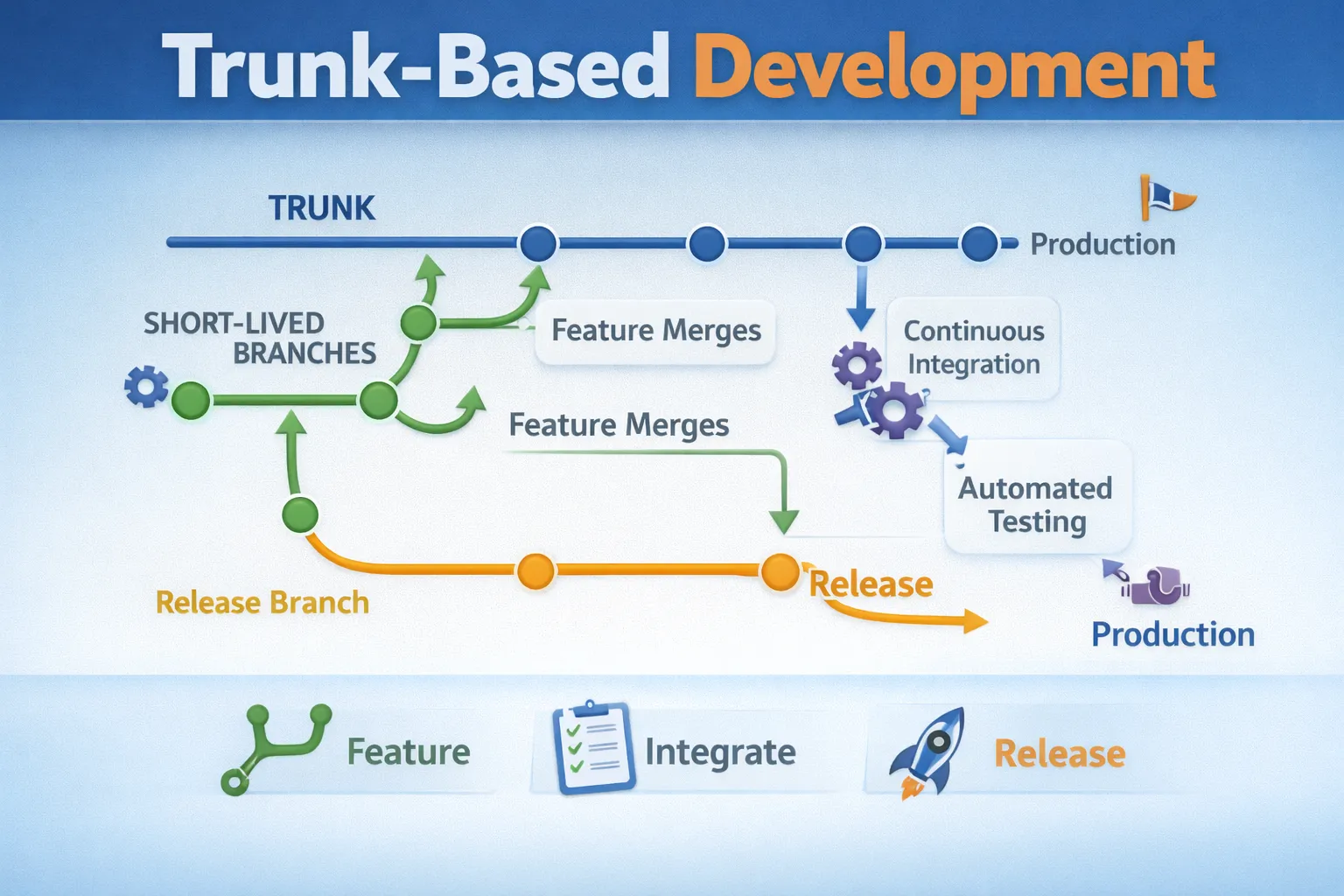
Trunk-Based Development (TBD) is a Git workflow where developers work on a single branch called “trunk” (or “main”) and integrate their changes frequently. This approach emphasizes continuous integration and aims to minimize long-lived branches, reducing merge conflicts and promoting collaboration.
When does TBD work well?
- You team consist mainly of experienced developers.
- You have a robust automated testing and CI/CD pipeline.
- You prioritize rapid delivery and continuous integration.
- Frequent Releases: Supports frequent releases and rapid iteration.
- Simplified Merging: Reduces merge conflicts by minimizing long-lived branches.
- Shipping SaaS products with one version in production.
Not Ideal for
- Does not handle multiple versions/releases well.
- Test coverage is weak or non-existent.
- It requires cultural shift and discipline among team members.
Git Workflow Comparison
| Workflow | Branching Model | Release Strategy | Team Size | CI/CD Fit | Typical Use Cases |
|---|---|---|---|---|---|
| FB | feature branches off main or develop | Flexible, team-defined | Small → Medium | ⚠️ | General-purpose workflow, teams starting with Git |
| GitFlow | Multiple long-lived branches (main, develop, release, hotfix) | Scheduled, versioned releases | Medium → Large | ❌ | Enterprise apps, versioned products, regulated environments |
| GitHub Flow | Short-lived feature branches off main | Continuous deployment | Small → Medium | ✅ | Web apps, SaaS, fast-moving teams |
| TBD | Single trunk + very short-lived branches | Continuous delivery | Medium → Large (mature teams) | ✅✅ | High-performance teams, DevOps-oriented orgs |
Key Differences at a Glance
| Dimension | GitFlow | GitHub Flow | Trunk-Based Development |
|---|---|---|---|
| Long-lived branches | Many | One (main) | One (trunk) |
| Branch lifetime | Days → Weeks | Hours → Days | Minutes → Hours |
| Merge frequency | Low | Medium | Very High |
| Release cadence | Scheduled | Continuous | Continuous |
| Automation requirement | Medium | High | Very High |
| Org. maturity | Medium | Medium | High |
Measure delivery performance
Deployment Frequency DF.
- How often you deploy code to production.
Lead Time for Changes LT.
- Time taken from code commit to deployment in production.
Mean Time to Recovery MTTR.
- Time taken to recover from a failure in production.
Change Failure Rate CFR.
- The percentage of changes that result in a failure in production.
Conclusion
Choosing the right Git workflow depends on your team’s size, project complexity, and release strategy. Feature Branching is great for small teams and simple projects, Gitflow suits larger teams with structured release cycles, a nd Forking Workflow is ideal for open-source contributions. Trunk-Based Development is excellent for teams focused on continuous integration and rapid delivery. Evaluate your team’s needs and project requirements to select the most suitable workflow.